Step-by-Step Guide to Set 3 Time Zones on a Rolex GMT Master II
The Rolex GMT Master II is a true icon in the world of travel watches. Initially designed for pilots, it enables wearers to track multiple time zones simultaneously. Whether you’re a frequent flyer or a business professional working across continents, learning to set the watch correctly is key.
In this guide, we’ll show you how to set three time zones on your GMT Master II using the local hour hand, 24-hour GMT hand, and the rotatable bezel.
What You Need to Know First?
Before diving into the process, it’s essential to understand the four key components that work together:
- Local Hour Hand (main hour hand) – 12-hour format, independently adjustable.
- Minute Hand – Same for all time zones.
- GMT Hand (24-hour hand) – Points to a fixed 24-hour scale on the dial.
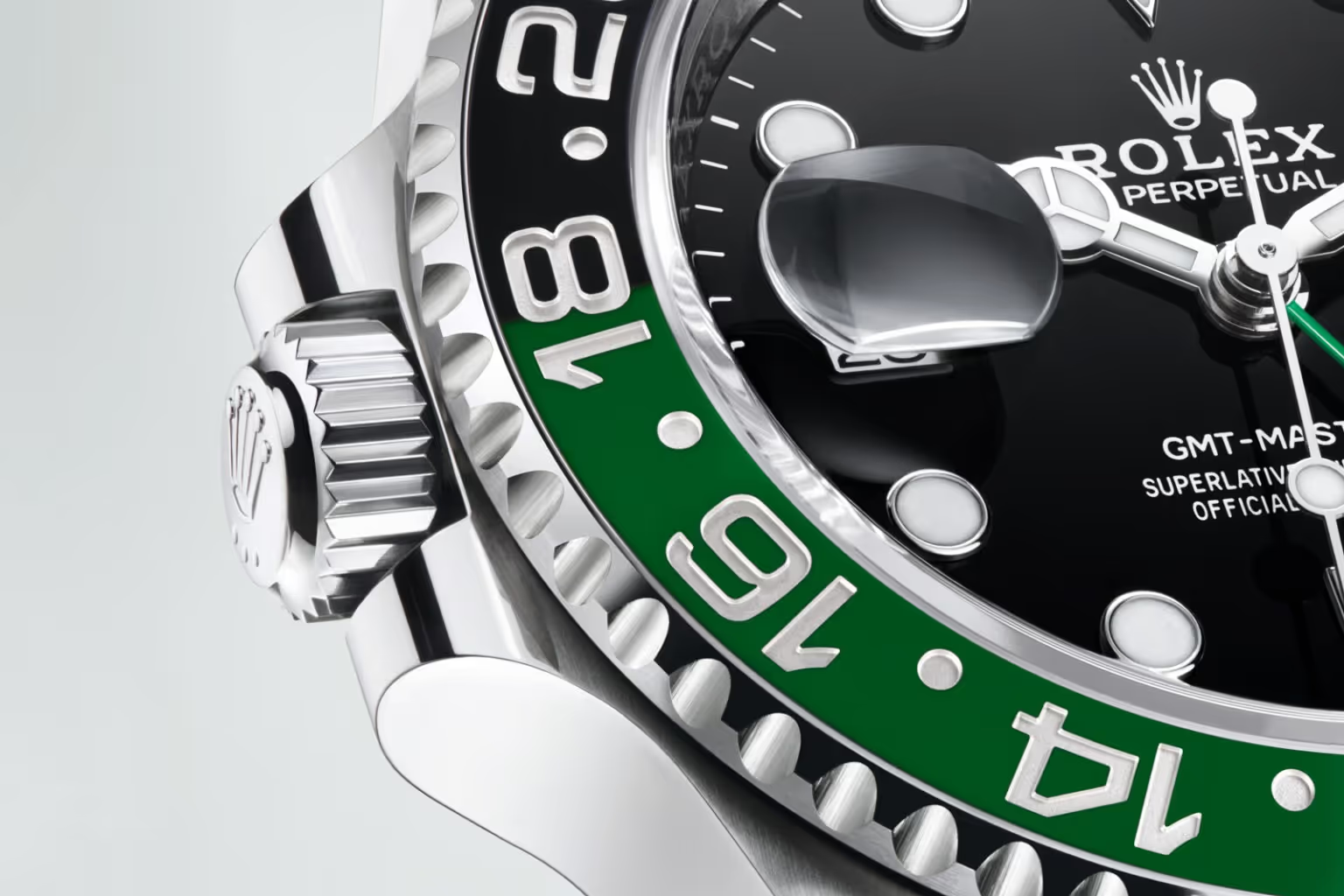
- Bidirectional Rotatable Bezel – Engraved with a 24-hour scale, used to calculate a third time zone.
Step 1: Unscrew the Crown
Start by gently unscrewing the crown counterclockwise until it pops out to the first position. The watch should no longer be waterproof, so avoid using it underwater or in humid environments.
Step 2: Set the Reference Time (GMT Hand)
- Pull the crown to the second position (the furthest out).
- Turn the crown in either direction to set the minute and 24-hour GMT hand.
- This will be your home time or reference time (GMT).
- Use the 24-hour markers on the dial to ensure AM/PM is correct.
- This will be your home time or reference time (GMT).
- Push the crown back to the first position.
Step 3: Set the Local Time (Hour Hand)
Now let’s set your local time:
- In the first crown position, rotate the crown to move the main hour hand in one-hour increments.
- The minute and GMT hands won’t move, allowing you to adjust the local hour freely.
- Set it to your current time zone (e.g., Dubai time if you're in Dubai).
Step 4: Set the Date (If Needed)
As you rotate the local hour hand, the date will change when you cross midnight. Set the hour hand forward until the correct date appears.
Step 5: Use the Rotatable Bezel to Set a Third Time Zone
To track a third time zone, follow these steps:
- Determine the difference between your GMT hand (home time) and the third time zone you want to track.
- Rotate the bezel accordingly.
- Each hour marker on the bezel equals one hour.
- For example, if the third time zone is 3 hours ahead of your GMT hand, rotate the bezel 3 clicks counterclockwise.
- Each hour marker on the bezel equals one hour.
- Now, read the time in the third time zone by looking at where the GMT hand points on the bezel.
Quick Example
Let’s say:
- GMT Hand is set to London time (GMT).
- Local Hour Hand is set to Dubai time (GMT+4).
- You want to track New York (GMT-5) as your third zone.
You would:
- Set the GMT hand to London time.
- Set the local hour hand to Dubai time.
- Rotate the bezel 5 clicks clockwise (since New York is 5 hours behind GMT).
- Now, the GMT hand will indicate New York time on the bezel.
Final Step: Secure the Crown
Push the crown back in and screw it tightly clockwise to ensure your Rolex is sealed and waterproof.
Why Does This Matter?
Learning to set all three time zones correctly ensures you're making full use of the Rolex GMT Master II’s incredible design. Whether you're coordinating calls between offices or flying across continents, having quick access to multiple time zones on your wrist is a huge advantage.
Get Your from Big Moe Watches
At Big Moe Watches, we help watch enthusiasts in Dubai own legendary timepieces like the Rolex GMT-Master II with confidence. Every watch in our collection is authenticated, expertly curated, and delivered same-day within Dubai. Discover your next statement piece with us.